Showing posts with label how-to. Show all posts

17 August 2015

Psiphon Settings for Proxy


I have been searching for a good drony alternative for Lollipop for quite some time now.

Psiphon seems to be the best yet.

You can download it from here.

1. Go to your Wi-Fi settings and change the Proxy settings to None.

2. Open Psiphon and go to option and select the settings as given below. Go to More Options and configure it as follows.


3. In the More Options screen , configure Psiphon as shown below.
Replace 202.141.80.22 with the server address you use for your proxy authentication.
Port will be 3128.Username and PWD will the proxy username and passwords you use normally.


4. Start Psiphon and let it run. I found almost everything to be working (Chrome , Play store, whatsapp , Messenger, Facebook).
This is the best alternative to Drony I have found yet. If you know of something more seamless let me know.





15 January 2015

IITG Networking in Ubuntu

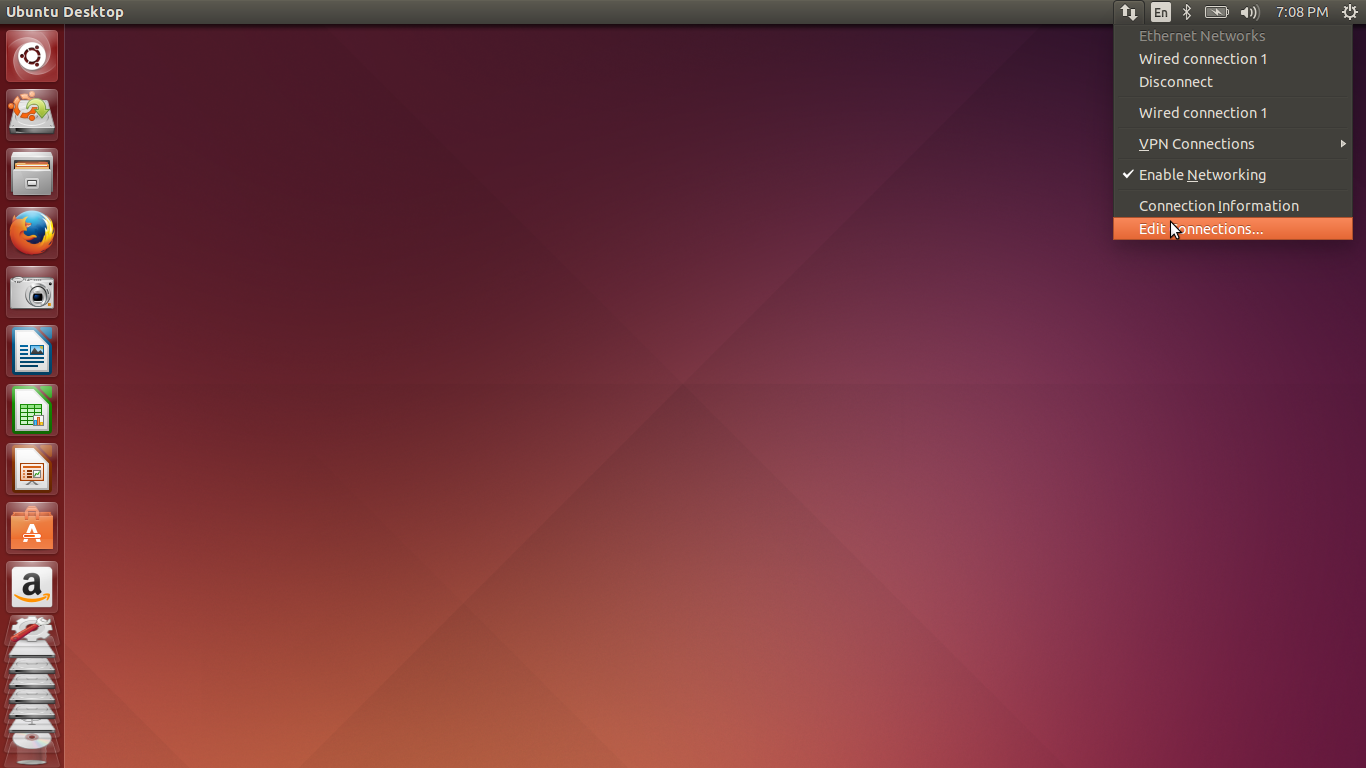
1. Go to Connection Icon on your Taskbar and select 'Edit Connections'.


2. Select 'Wired Connection 1' and click 'Edit'.


3. Goto IPv4 Settings , Select the method as Manual and add your IP settings accordingly and save it.


4. Press the 'Windows' key on your keyboard and type 'Network' in the search box that comes up.

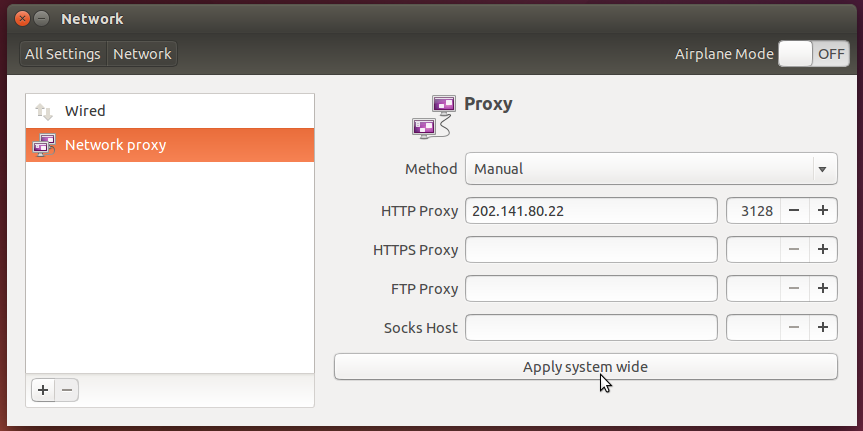
Click on it and go to 'Network Proxy'. Set the Proxy settings accordingly and click on 'Apply System wide'.


5. If you want apt-get commands (Used mainly for installing and updating softwares) to work, do the following.

Open Terminal and write the commands given below. It will ask for your password in case you have one.


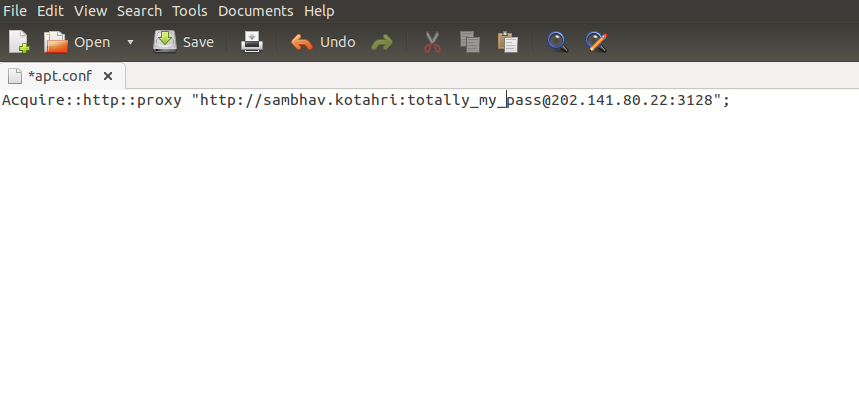
6. In the windows that opens , edit the lines to the following -
(Acquire::http::proxy "http://proxy_username:password@202.141.80.22:3128/")


7. DONE!! your apt-get commands should work now and you should be able to install softwares using it.

TIP-  Run " sudo apt-get install vim " in the terminal windows without the quotes to get VIM and practice for your CS lab sessions!